

Getting your affiliate marketing dashboard set up right from the start can feel a bit overwhelming. It’s like looking at a new car’s dashboard for the first time – lots of buttons and lights! But don’t worry, this guide breaks down the affiliate marketing dashboard setup process into simple steps. We’ll cover what you need to know to get it running smoothly so you can focus on making those sales.
Key Takeaways
- A good affiliate marketing dashboard setup helps you see all your important numbers in one place.
- Understand the main parts of your dashboard before you start using it.
- Pick a dashboard that fits what you need and how you work.
- Connecting your affiliate networks and setting up reporting is a big part of the setup.
- Your dashboard helps you figure out what’s working and what’s not so you can improve.
Understanding Your Affiliate Marketing Dashboard Setup

Alright, so you’re diving into affiliate marketing, and you’ve heard about dashboards. Think of your affiliate dashboard as your command center. It’s where all the important stuff about your affiliate efforts comes together. You’ll see how many people clicked your links, who bought something, and how much money you’ve earned. It’s pretty much the hub for everything related to your affiliate business.
Key Components of An Affiliate Dashboard
Your dashboard isn’t just a random collection of numbers; it’s built with specific pieces of information that help you see what’s working. Here are the main things you’ll find:
- Performance Metrics: This is the core. You’ll see clicks, conversions (sales or leads), and your earnings. Sometimes it’s broken down by date, by campaign, or even by individual link.
- Link Tracking: You need to know which links are actually getting clicked. This section shows you the performance of each unique affiliate link you’re using.
- Payment Information: This is the fun part! It shows your current balance, when you can expect to get paid, and your payment history.
- Program Details: Information about the affiliate programs you’re part of, like commission rates and terms.
- Reporting Tools: Ways to filter and sort your data so you can see trends or specific results.
Choosing The Right Dashboard For Your Needs
Not all dashboards are created equal, and what works for one person might not be the best fit for another. When you’re picking one, think about what you need most right now. Are you just starting out and need something simple? Or are you running multiple campaigns and need advanced features? Some platforms offer really flexible options, letting you build out a custom setup that fits your workflow perfectly. It’s worth looking at examples of effective affiliate dashboards to get some ideas. Check out some examples to see what might work for you.
Navigating Your Affiliate Dashboard Interface
Once you’ve got your dashboard set up, you’ll want to get comfortable with how to use it. Most dashboards have a main menu or sidebar that lets you jump between different sections like ‘Reports,’ ‘Payments,’ or ‘Links.’ Spend some time clicking around. Look for filters or date range selectors – these are super important for digging into specific periods. Don’t be afraid to explore; it’s the best way to learn. You’re looking for clarity on your earnings and where they’re coming from.
Getting a handle on your dashboard early on saves a lot of headaches later. It’s your main tool for understanding if your affiliate marketing efforts are actually paying off. Treat it like your business’s health report.
Essential Tools For Your Affiliate Marketing Dashboard
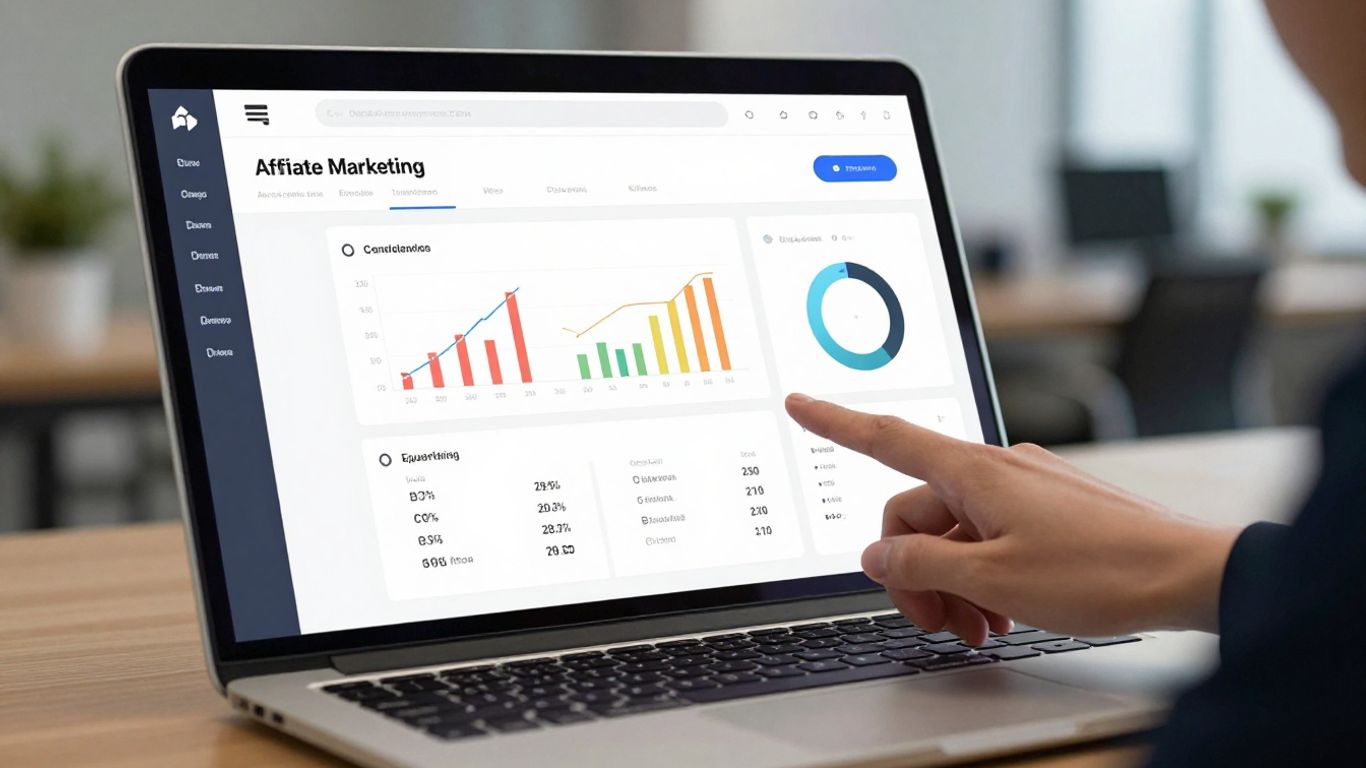
Alright, so you’ve got your dashboard set up, which is awesome. But to really make it work for you, you need the right tools plugged in. Think of it like having a toolbox; you wouldn’t try to build a house with just a hammer, right? Same idea here. We’re talking about software that helps you track what’s working, see where your traffic is coming from, and generally make your life easier.
Integrating Tracking Software
This is probably the most important piece. Without good tracking, you’re flying blind. You need to know which links are getting clicked, which ones are leading to sales, and where those sales are coming from. There are tons of options out there, from simple link trackers to more advanced systems that can follow users across different devices. Getting this right from the start saves a ton of headaches later.
Here’s a quick look at what tracking software typically does:
- Monitors clicks: Records every time someone clicks your affiliate link.
- Tracks conversions: Ties those clicks back to actual sales or leads.
- Identifies sources: Shows you which websites, social media posts, or ads are sending you traffic.
- Manages links: Helps organize and sometimes even shorten your affiliate links.
If you’re just starting, a tool that integrates directly with your affiliate networks is a good bet. For example, if you’re using BigCommerce, you might look into integrating with affiliate management tools like LeadDyno to streamline things. Check out affiliate programs.
Leveraging Analytics Tools
Tracking is great, but analytics tools help you make sense of all that data. They take the raw numbers and turn them into insights. You’ll want tools that can show you:
- Audience demographics: Who are the people clicking your links?
- Traffic sources: Where are they coming from (Google, social media, email)?
- User behavior: What pages do they visit on your site before clicking?
- Conversion rates: What percentage of visitors actually buy something?
Tools like Google Analytics are free and powerful, but for affiliate marketing specifically, you might want something that digs deeper into affiliate performance. This could include looking at competitor data to see what’s working for them. Tools like Ahrefs can be super helpful here for competitor analysis and finding new opportunities. See SEO tool options.
Utilizing Automation Tools
Let’s be honest, affiliate marketing can involve a lot of repetitive tasks. Automation tools are your best friend for tackling these. Think about things like:
- Email marketing: Automatically sending follow-up emails to people who clicked a link but didn’t buy.
- Social media posting: Scheduling your posts in advance.
- Reporting: Automatically generating reports so you don’t have to pull data manually every week.
These tools free up your time so you can focus on the bigger picture, like creating better content or finding new offers. Many email marketing platforms have automation features built-in, and there are also dedicated automation tools that can connect to your other software.
Setting Up Your Affiliate Marketing Dashboard For Success
Alright, so you’ve got your dashboard open, and maybe it looks a little… empty. That’s totally normal. The next step is getting it set up so it actually works for you, not against you. Think of it like setting up your workshop – you need the right tools in the right places before you can start building anything.
Connecting Affiliate Networks
This is where the magic starts to happen. Your dashboard is just a shell until you connect it to the affiliate networks you’re working with. This is how you get your tracking links, see your clicks, and most importantly, get paid. Each network has its own way of doing things, but generally, you’ll be looking for an API key or a specific integration option within your dashboard settings.
- Log in to your affiliate network account.
- Find the ‘Integrations’ or ‘API Access’ section.
- Generate an API key or follow the network’s specific instructions.
- Paste this information into the corresponding field in your affiliate dashboard.
Don’t skip this step. If your networks aren’t connected, your dashboard won’t pull any data, and you’ll be flying blind. It’s like trying to drive a car without the engine connected – looks fancy, but it’s not going anywhere. For quick access to your earnings and performance data, bookmarking the affiliate tab in your client area is a good idea, like with WhoGoHost.
Configuring Reporting Metrics
Once connected, you need to tell your dashboard what information is important to you. Most dashboards let you customize the reports you see. You don’t need to see every single data point; focus on what helps you make decisions. Are you looking at clicks, conversions, earnings per click (EPC), or something else?
Here are some common metrics to consider:
- Clicks: How many people are actually clicking your links.
- Conversions: How many of those clicks turned into a desired action (like a sale or a lead).
- Earnings: How much money you’ve made.
- Conversion Rate: The percentage of clicks that resulted in a conversion. This is a big one.
- EPC (Earnings Per Click): How much you earn, on average, for every click.
Setting these up correctly means you’re not just looking at numbers; you’re looking at meaningful numbers that tell a story about your performance. This guide provides a step-by-step walkthrough for managing your affiliate account and tracking performance metrics. Learn how to effectively track.
Customizing Your Dashboard View
Finally, make it your own. A cluttered dashboard is overwhelming. Most platforms allow you to rearrange widgets, add or remove sections, and generally tailor the interface to your workflow. If you’re someone who needs to see your top-performing campaigns front and center, move that widget up. If you rarely check refund rates, maybe tuck that information away.
Think about what you check daily, weekly, and monthly. Set up your dashboard to highlight the most frequent information you need. This makes your daily check-ins much faster and more productive. It’s about making the data work for you, not the other way around.
Setting up your dashboard isn’t a one-time task. As your affiliate marketing efforts grow and change, you’ll want to revisit these settings. What’s important today might be different next month. Regularly tweaking your dashboard ensures it stays a useful tool for your business.
Optimizing Performance With Your Dashboard
Your affiliate marketing dashboard isn’t just a place to see numbers; it’s your command center for making more money. Think of it like a car’s dashboard – it tells you how fast you’re going, how much fuel you have, and if anything needs attention. Without looking at it, you’re just driving blind.
Analyzing Conversion Data
Looking at raw clicks is okay, but what really matters is what happens after the click. Are people actually buying? Your dashboard should show you conversion rates. This tells you how many people who clicked your link ended up making a purchase. A high click count with a low conversion rate means something is off. Maybe your traffic isn’t the right kind, or the offer you’re promoting isn’t a good fit for the audience you’re sending. You need to figure out why people aren’t buying. This is where you start to see what’s working and what’s not, helping you optimize marketing spend.
Here’s a quick look at what to check:
- Conversion Rate: Percentage of clicks that result in a sale.
- Average Order Value (AOV): How much people typically spend when they buy.
- Revenue Per Click (RPC): Total revenue divided by total clicks. This gives you a dollar amount for each click.
Tracking Link Performance
Every link you share should ideally be trackable. This means you can see which specific links are bringing in sales and which ones are just… there. If you’re promoting a product on your blog, in an email, and on social media, you need to know which of those places is doing the heavy lifting. Most affiliate programs or tracking software let you create unique links for different placements. Check your dashboard regularly to see which links are getting clicks and, more importantly, which ones are leading to actual sales. This helps you focus your efforts where they count.
Identifying Top Performing Campaigns
Beyond just links, you need to look at the bigger picture: your campaigns. A campaign might be a specific promotion, a review of a particular product, or a series of emails. Your dashboard should allow you to group your results by campaign. This way, you can see which overall strategies are most profitable. Maybe that big product review you wrote is bringing in way more money than your social media shout-outs. Knowing this lets you double down on what works.
It’s easy to get lost in the daily grind of creating content and sharing links. But without looking at the data your dashboard provides, you’re essentially guessing. You need to see the actual results to make smart decisions about where to spend your time and effort. Focus on the metrics that show real income, not just activity.
By regularly checking these areas, you move from just doing affiliate marketing to strategically doing affiliate marketing. It’s about using the information you have to make better choices and, ultimately, earn more money. Remember to focus on key metrics beyond just traffic volume to truly understand your program’s success.
Advanced Affiliate Marketing Dashboard Strategies
Alright, so you’ve got your dashboard set up and you’re tracking the basics. That’s great! But to really make some serious progress, we need to think a bit more strategically. This is where you move beyond just looking at numbers and start actively shaping your results.
Implementing Split Testing
Split testing, or A/B testing, is your secret weapon for figuring out what actually works. You create two versions of something – maybe a landing page, an email subject line, or even a call-to-action button – and show each version to a different segment of your audience. Then, you see which one performs better. It’s all about making small, data-backed changes that add up.
For example, you could test:
- Headline A vs. Headline B: Which one grabs more attention?
- Button Color Red vs. Button Color Green: Does one get more clicks?
- Email Subject Line 1 vs. Email Subject Line 2: Which one gets more opens?
The goal is to continuously improve your conversion rates by understanding audience preferences. Tools like Google Optimize (though sunsetting, similar tools exist) or built-in features within some landing page builders can help you run these tests. You’ll want to track metrics like click-through rates and conversion rates for each variation.
Utilizing Heatmap Tools
Heatmap tools are super interesting because they show you visually where people are clicking, scrolling, and spending their time on your pages. It’s like having X-ray vision into your audience’s behavior. You can see if people are actually seeing your important buttons or if they’re getting lost somewhere on the page.
Think about it: you might have a great offer, but if your heatmap shows that nobody is scrolling down to see it, you’ve got a problem. Or maybe people are clicking on something that isn’t even clickable, which tells you they’re confused.
These tools can help you:
- Identify areas of your page that are ignored.
- See where users get stuck or confused.
- Understand which elements are most engaging.
This kind of visual feedback is invaluable for optimizing user experience and making sure your calls to action are seen and acted upon. It’s a great way to get insights for building an affiliate analytics dashboard that truly reflects user interaction.
Leveraging AI For Insights
Artificial intelligence is starting to play a bigger role in affiliate marketing, and your dashboard can be a hub for this. AI tools can analyze vast amounts of data much faster than a human ever could. They can spot patterns, predict trends, and even suggest optimizations you might not have thought of.
For instance, AI can help you:
- Predict which products are likely to perform well in the future.
- Identify your most valuable audience segments.
- Automate personalized email campaigns based on user behavior.
While AI can’t replace your strategic thinking, it can certainly give you a significant edge. It helps you make smarter decisions faster, which is key in this fast-paced online world. Many modern affiliate platforms, like Trackier, are integrating AI features to help marketers work smarter.
You’re moving from just reporting on what happened to predicting what will happen and actively influencing it. This shift is what separates good affiliate marketers from the great ones. It’s about using your dashboard not just as a rearview mirror, but as a GPS for future success.
Troubleshooting Common Dashboard Issues
Even with the best setup, sometimes things just don’t line up perfectly in your affiliate marketing dashboard. It’s not the end of the world, though. Most issues are pretty common and have straightforward fixes. Let’s look at what might go wrong and how to sort it out.
Data Discrepancies Explained
Ever look at your dashboard and see numbers that don’t quite match what you expected? This is super common. It could be a few things. Maybe the affiliate network’s reporting is on a slightly different update cycle than your tracking software. Or perhaps there’s a delay in how clicks are registered versus actual sales. It’s important to understand that minor differences are often normal.
Here are a few reasons you might see discrepancies:
- Tracking Lag: Some systems take longer to update than others. Your dashboard might show clicks immediately, but sales can take hours or even days to appear from the network.
- Attribution Models: Different networks or tools might use different ways to decide who gets credit for a sale. If you’re using multiple tools, they might not agree on which link led to the conversion.
- Cookie Durations: Affiliate links rely on cookies to track sales. If a user clicks your link but doesn’t buy right away, the cookie’s lifespan matters. If the cookie expires before they buy, the sale might not be attributed to you.
- Network Reporting Delays: Affiliate networks themselves can have delays in processing and reporting sales. This is especially true for pending or returned orders.
Always give your data some time to settle. If a discrepancy persists for more than 48-72 hours, then it’s time to dig deeper. Don’t panic over small, temporary differences.
Resolving Integration Problems
Connecting your affiliate networks, email services, or tracking tools can sometimes be a headache. If data isn’t flowing between them, it’s usually an integration issue. First, double-check your API keys or login credentials. A simple typo can break the whole connection. Make sure you’re using the correct version of the integration if there are multiple options available. Sometimes, you might need to disconnect and reconnect the services. If you’re having trouble with tracking pixels, this guide on troubleshooting non-working affiliate tracking pixels can offer some specific steps.
Ensuring Accurate Tracking
Accurate tracking is the backbone of knowing what’s working. If you suspect your tracking isn’t right, start by checking your links themselves. Are they set up correctly? Are you using unique subIDs for different campaigns or traffic sources? This helps you pinpoint exactly where your traffic is coming from and which efforts are paying off. Broken affiliate links are a major revenue leak, so regularly checking for them is key. You can find more on how to fix these issues in this guide to identifying and fixing broken affiliate links. Make sure your reporting metrics are configured to capture the data you need, like clicks, conversions, and earnings per click (EPC).
Wrapping It Up
So, setting up your affiliate marketing dashboard might seem like a lot at first, but it’s really about getting organized. Think of it like setting up your workshop before you start building something cool. You’ve learned about the different pieces you need to track, from clicks to sales, and why having a clear view of this stuff helps you figure out what’s working and what’s not. Don’t get bogged down trying to make it perfect right away. Just get the basics in place, start tracking, and you can always tweak it later. The main thing is to keep learning and keep trying things out. You’ve got this.
Frequently Asked Questions
What exactly is an affiliate marketing dashboard?
Think of your affiliate dashboard like a command center for your online business. It’s a special page or software where you can see all your important information in one spot. You can check how many people clicked your links, how many bought something, and how much money you’ve earned. It helps you keep track of everything without getting lost.
Do I need a special dashboard to start affiliate marketing?
When you join an affiliate program or network, they usually give you access to their own dashboard. This is a great place to start! As you get more serious, you might want to use other tools or combine information into your own custom dashboard to see everything at a glance. But for beginners, the one provided by the program is usually enough.
What kind of information will I see on my dashboard?
You’ll see a bunch of useful stuff! This includes things like clicks (how many times people clicked your links), conversions (how many people actually bought something after clicking), earnings (how much money you’ve made), and sometimes even details about which products are selling best. It’s like a report card for your affiliate efforts.
How do I connect different affiliate programs to my dashboard?
Most affiliate programs have their own dashboards. If you want to see everything in one place, you might need to use a special tracking tool that can pull data from multiple programs. Some advanced dashboards let you connect different networks directly, but for beginners, it’s often about checking each program’s dashboard separately or using a simple spreadsheet to keep notes.
Why is tracking my affiliate links important?
Tracking your links is super important because it tells you what’s working and what’s not. If you don’t track, you won’t know which links are bringing in sales and which ones are just being ignored. This information helps you focus your energy on the strategies that actually make you money and improve the ones that aren’t performing well.
What if the numbers on my dashboard don’t seem right?
Sometimes, you might see numbers that look a bit off. This can happen for a few reasons, like tracking issues or delays in reporting. Usually, it’s a good idea to double-check your setup and make sure everything is connected correctly. If the problem continues, reach out to the support team for the affiliate program or the dashboard tool you’re using. They can help figure out what’s going on.