

So, you’re looking to get into affiliate marketing and you’ve heard about analytics. It sounds complicated, right? Like something only super techy people need to worry about. But honestly, it’s not that bad once you break it down. Think of it like checking the fuel gauge on your car. You need to know if you’re running on empty or if you’ve got plenty of gas to get where you’re going. This guide is all about making that process simple. We’ll walk through the basics of affiliate marketing analytics setup guide, choosing the right tools, and how to actually use the data to make more money. No confusing jargon, just straightforward advice to help you succeed.
Key Takeaways
- Understanding affiliate marketing analytics means knowing how your links perform. It helps you see what’s working and what’s not.
- Picking the right tools is important. You don’t need the most expensive ones, just ones that track your clicks and sales accurately.
- Setting up tracking correctly is a big deal. Make sure your links are set up right and any tracking pixels are installed properly.
- Watching your numbers like clicks, conversions, and return on investment helps you figure out which promotions are making you money.
- Using the data you gather lets you improve your campaigns. You can see where people drop off and make changes to get more sales.
Understanding Affiliate Marketing Analytics Basics
So, you’re diving into affiliate marketing and hearing a lot about ‘analytics’. What’s the big deal? Simply put, affiliate marketing analytics is all about tracking what happens after someone clicks your affiliate link. It’s how you see if your efforts are actually paying off. Without it, you’re basically flying blind, hoping for the best.
What Is Affiliate Marketing Analytics?
Affiliate marketing analytics is the process of collecting, measuring, and analyzing data related to your affiliate marketing activities. Think of it as your business’s report card. It tells you which links are getting clicked, which ones are leading to sales, and where people are dropping off. This data is gold because it shows you what’s working and what’s not. It’s not just about counting clicks; it’s about understanding the journey your audience takes from seeing your promotion to making a purchase.
How Analytics Drives Success in Affiliate Marketing
Why bother with all this tracking? Because analytics helps you make smarter decisions. Instead of guessing, you can see actual results. This means you can focus your time and energy on the strategies that bring in money and ditch the ones that don’t. It’s about optimizing your campaigns for better performance. For example, if you see one type of content drives more sales than another, you’ll want to create more of that successful content. It’s a cycle of testing, measuring, and improving. This approach is key to building a sustainable income online and understanding how analytics drives success.
Here’s a quick look at why it matters:
- Identify Top Performers: See which products, links, or content pieces are generating the most revenue.
- Spot Weaknesses: Find out where potential customers are leaving your funnel before buying.
- Improve Your Strategy: Make data-backed changes to your promotions, content, and targeting.
- Understand Your Audience: Learn what resonates with your audience and what motivates them to buy.
Essential Terms Every Beginner Should Know
Before we get too deep, let’s cover a few terms you’ll see a lot:
- Impressions: How many times your affiliate link or promotion was displayed.
- Clicks: The number of times people actually clicked on your affiliate link.
- Click-Through Rate (CTR): The percentage of impressions that resulted in a click (Clicks / Impressions).
- Conversions: When a user takes a desired action after clicking your link, usually a sale or a lead.
- Conversion Rate: The percentage of clicks that resulted in a conversion (Conversions / Clicks).
- Commission: The amount of money you earn for each successful conversion.
Understanding these basic metrics is the first step to making sense of your affiliate marketing performance. Don’t get overwhelmed; we’ll break them down further as we go.
Getting a handle on these numbers early on will save you a lot of headaches later. It’s the foundation for building a profitable affiliate marketing business, and there are many resources available to help you get started with affiliate marketing.
Choosing The Right Tools For Affiliate Marketing Analytics
Alright, so you’ve got the basics down, and you’re ready to start tracking what’s actually working. This is where picking the right tools comes into play. It’s not about having the most expensive software; it’s about having the tools that give you the data you need without making your head spin.
Popular Analytics Platforms and Tracking Software
When you start looking around, you’ll see a bunch of options. Some are super simple, while others are packed with features you might not need right away. For beginners, it’s often best to start with something straightforward. You’ve got your general website analytics tools, like Google Analytics, which is free and gives you a ton of info about your visitors. Then there are more specialized affiliate tracking platforms. These can help you manage your links, see which campaigns are performing, and even track conversions more precisely. Some popular choices include options that focus on specific ad types, like spy tools for affiliate marketing that let you see what competitors are doing. It’s a good idea to check out a few affiliate marketing software reviews to get a feel for what’s out there.
Key Features to Look For in an Analytics Tool
So, what should you actually look for? Don’t get lost in all the bells and whistles. Focus on what matters for your affiliate efforts.
- Link Tracking: Can it tell you which specific links are getting clicked?
- Conversion Tracking: Does it accurately record when someone buys something after clicking your link?
- Reporting: Are the reports easy to understand? Can you see your data at a glance?
- Ease of Use: If you can’t figure out how to use it, it’s not much good, right?
- Integration: Does it play nice with your affiliate network or your website platform?
You want tools that simplify your work, not add to it. The goal is to get clear insights, not a data overload that leaves you confused.
Integrating Analytics with Affiliate Networks
This part can sometimes feel a bit technical, but it’s super important. Most affiliate networks have their own tracking systems, but you’ll want to connect that data to your own analytics. This usually involves setting up tracking pixels or using specific URL parameters. For example, if you’re promoting a product through an affiliate network, you’ll want to make sure that when a sale happens, your analytics tool registers it. This connection is how you’ll see the full picture – from the initial click all the way to the commission earned. Don’t skip this step; it’s how you know what’s truly driving your income.
Setting Up Your Affiliate Marketing Analytics Step by Step
Alright, so you’ve got your affiliate links ready, and you’re eager to start making some money. But how do you know what’s actually working? That’s where setting up your analytics comes in. It’s not as scary as it sounds, honestly. Think of it like putting a speedometer on your car – you need to see how fast you’re going and where you’re headed.
Creating Tracking Links The Right Way
This is probably the most important first step. Your affiliate links are how you get credit for sales, but if they’re not set up right, you might as well be giving them away for free. Most affiliate networks or programs give you a basic link, but you can usually add extra bits to it to track where your traffic is coming from.
Here’s a simple breakdown:
- Understand the basics: Your unique affiliate ID is already in the link. What you want to add is a way to identify the source of the click.
- Use sub-IDs or custom parameters: Many platforms let you add things like
subid=facebookorutm_source=blogpost1. This tells you if the click came from a Facebook post, a specific blog article, or an email. - Keep it consistent: Decide on a naming convention and stick to it. If you use
fbone day andfacebookthe next, your data will be a mess. - Test your links: Always click your own links after setting them up to make sure they go to the right place and that your tracking parameters are showing up correctly.
Properly formatted tracking links are the backbone of understanding your affiliate performance. It’s worth spending a little extra time here to get it right.
Installing Tracking Pixels and Scripts
Beyond just tracking clicks, you might want to track actions that happen after someone clicks your link. This is where tracking pixels and scripts come in. Think of a pixel as a tiny piece of code that tells an ad platform (like Facebook or Google) when a specific action happens on a website.
- What they track: Common actions include page views, adding items to a cart, or completing a purchase. This helps you understand the full journey.
- Where they go: You’ll usually place these on your own website or landing pages. If you’re sending traffic directly to an offer, the merchant might have their own tracking setup you can connect to.
- Why it matters: This data is gold for retargeting ads and understanding conversion rates. If you know someone added a product to their cart but didn’t buy, you can try to bring them back.
Setting up tracking pixels might seem technical, but many platforms offer simple copy-paste solutions. Don’t let the code scare you off; the insights you gain are well worth the effort. It’s about seeing the whole picture, not just the first click.
Verifying Your Analytics Setup
Okay, you’ve made your links and maybe added some pixels. Now, you need to make sure everything is actually working. This is where you play detective.
- Use the ‘Test’ function: Many affiliate networks have a built-in way to test if your links are being tracked. Use it.
- Make a test purchase/lead: If possible, go through the entire process yourself. Click your link, make a purchase (or sign up, whatever the goal is), and then check your analytics dashboard. Did it register?
- Check your tracking software: If you’re using a third-party tool like Google Analytics or a dedicated affiliate tracking platform, look at the real-time reports. Do you see activity when you click your links?
- Look for discrepancies: Compare data between your affiliate network dashboard and your own analytics. Small differences are normal, but big ones mean something is broken.
Getting this setup right is the first big step towards making informed decisions about your affiliate marketing efforts. It’s the foundation for everything else you’ll do. You can find more about setting up affiliate programs if you need a broader view.
Tracking and Measuring Key Affiliate Marketing Metrics
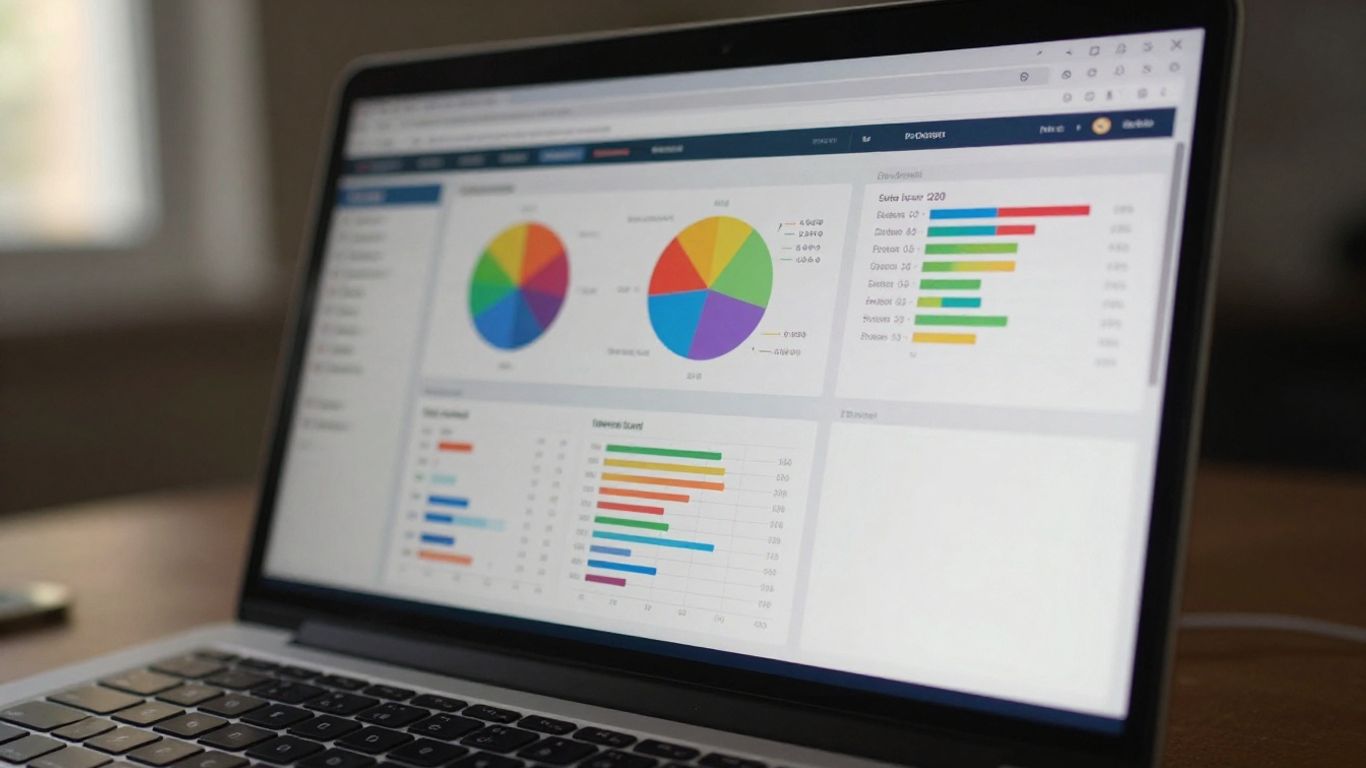
Okay, so you’ve got your links out there, maybe you’ve even made a few sales. That’s awesome! But how do you actually know what’s working and what’s not? This is where tracking and measuring come in. It’s not just about seeing numbers; it’s about understanding what those numbers mean for your business. Without solid tracking, you’re basically flying blind.
Clicks, Leads, and Conversion Rate
Let’s break down some of the most basic, yet super important, metrics you’ll see.
- Clicks: This is pretty straightforward. It’s the number of times someone clicked on your affiliate link. More clicks can mean more potential customers, but it’s not the whole story.
- Leads: A lead is when someone takes a specific action after clicking your link, like signing up for a newsletter, filling out a form, or downloading something. This shows a higher level of interest than just a click.
- Conversion Rate: This is the magic number that tells you how effective your traffic is. It’s calculated as (Conversions / Clicks) * 100. A higher conversion rate means you’re doing a great job of turning clicks into desired actions. For example, if you get 100 clicks and 10 people sign up for a free trial, your lead conversion rate is 10%.
It’s really important to track these metrics consistently. You can get a good overview of affiliate clicks and conversion rates by enabling Enhanced Measurement in Google Analytics [47df].
Understanding Attribution Models
Now, things get a little more interesting. When a customer clicks through multiple affiliate links before buying, which affiliate gets the credit? That’s where attribution models come in. They’re different ways to assign value to the touchpoints a customer has along their journey.
- First-Click Attribution: The first affiliate link clicked gets 100% of the credit. Simple, but might undervalue later touchpoints.
- Last-Click Attribution: The last affiliate link clicked before the conversion gets all the credit. This is often the default, but it ignores everything that came before.
- Linear Attribution: Every touchpoint gets an equal slice of the credit. This gives a more balanced view.
- Position-Based (U-Shaped) Attribution: The first and last clicks get more credit, with the middle clicks sharing the rest. This acknowledges the initial interest and the final decision.
Choosing the right model depends on your strategy and what you want to reward. For beginners, last-click is often the easiest to grasp, but linear can give you a better picture of the entire customer path.
Calculating ROI for Affiliate Campaigns
Return on Investment (ROI) is how you figure out if your affiliate efforts are actually making you money after accounting for costs. It’s not just about the commission you earn.
Here’s a simple way to think about it:
ROI = ((Total Commission Earned – Total Campaign Costs) / Total Campaign Costs) * 100
Let’s say you spent $100 on ads to promote an affiliate product and earned $300 in commission. Your ROI would be: (($300 – $100) / $100) * 100 = 200%.
Campaign costs can include:
- Ad spend (like Google Ads or Facebook Ads)
- Cost of any tools you used specifically for that campaign
- Time spent if you’re valuing your own labor (though many beginners don’t initially)
Understanding your ROI helps you see which campaigns are truly profitable and which ones might be draining your resources. It’s the ultimate test of whether your affiliate marketing efforts are paying off.
Tracking your affiliate links effectively, especially within Google Analytics, can give you a clearer picture of what content drives clicks [6a0b]. This data is gold for figuring out your ROI and making smarter decisions moving forward.
Optimizing Funnels and Conversion Paths With Analytics
So, you’ve got your tracking set up, and you’re seeing some numbers. That’s great! But just looking at the raw data isn’t enough. To really make your affiliate marketing efforts work, you need to understand how people move from seeing your promotion to actually buying something. This is where looking at your funnels and conversion paths comes in.
Mapping the Affiliate User Journey
Think about it like this: nobody just lands on a page and immediately buys. There are steps involved. Your job is to figure out what those steps are for your audience. This means mapping out the typical path someone takes. It might start with a blog post, then maybe an email signup, followed by a series of emails, and finally, a click to the affiliate offer.
Here’s a simple way to visualize it:
- Awareness: Someone sees your content (blog, social media, ad).
- Interest: They click through to learn more.
- Consideration: They engage with your offer (e.g., read a review, watch a video).
- Decision: They click your affiliate link.
- Action: They make a purchase on the merchant’s site.
Understanding this flow helps you see where you might be losing people.
Identifying Micro Conversions and Drop-off Points
Not every step needs to be a sale. We call smaller actions micro conversions. Things like signing up for a newsletter, downloading a guide, or even just spending a certain amount of time on a page can be micro conversions. These tell you that people are engaged, even if they aren’t buying yet.
Analytics tools can show you where people are leaving your funnel. This is super important. If lots of people click away after reading your review but before clicking the affiliate link, maybe your review isn’t convincing enough. Or perhaps the call to action isn’t clear. Pinpointing these drop-off points is key to improving your results.
Improving Landing Page Performance Using Data
Your landing page is often the first real interaction a potential buyer has with your offer. If it’s not working, nothing else matters. Analytics can tell you if people are bouncing off your page immediately, or if they’re clicking around but not taking the desired action.
Look at metrics like:
- Bounce Rate: How many people leave after viewing only one page.
- Time on Page: How long visitors stay.
- Conversion Rate: How many visitors complete the desired action (e.g., click the affiliate link).
If your bounce rate is high, your page might not be relevant to what they expected, or it loads too slowly. If people are spending time but not converting, the content or the offer might not be compelling enough. You can use tools to see where people click on your page, which can reveal confusing elements or missed opportunities. Making small tweaks based on this data can make a big difference. For example, if you’re looking for tools to help with this, you might check out some of the popular analytics platforms and tracking software available today.
Analyzing user behavior isn’t about guessing; it’s about observing what people actually do. When you see patterns in how users interact with your content and offers, you can make informed decisions to guide them more effectively toward a purchase. This data-driven approach moves you away from hoping for sales and towards strategically creating them.
By understanding the user’s path and using data to fix weak spots, you can build a much more effective affiliate marketing system. It’s all about making it easier and more appealing for people to go from interested observer to happy customer. Remember, Google Ads attribution, for instance, uses machine learning to figure out which paths lead to conversions, giving you insights into user interactions before they buy.
Reporting and Analyzing Your Affiliate Performance
So, you’ve set up your tracking, and things are starting to move. That’s great! But what do you do with all the data you’re collecting? This is where reporting and analysis come in. It’s not just about looking at numbers; it’s about understanding what they mean for your affiliate business. Think of it like checking the dashboard in your car – you need to know your speed, fuel level, and engine health to get where you’re going safely and efficiently.
Generating Effective Reports for Beginners
When you’re just starting, the sheer amount of data can feel overwhelming. The key is to keep your reports simple and focused on what matters most. Don’t try to track everything at once. Start with the basics and build from there. A good starting point is to create a weekly or monthly report that covers:
- Total Clicks: How many people are actually clicking your affiliate links?
- Total Conversions: How many of those clicks turned into sales or desired actions?
- Earnings: How much money did you make from those conversions?
- Top Performing Content/Links: Which pieces of content or specific links are driving the most results?
This basic report gives you a clear snapshot of your performance. You can use a simple spreadsheet or a dedicated dashboard tool for this. The goal is to make the data easy to digest so you can quickly see what’s working and what’s not.
Interpreting Analytics Data Clearly
Looking at numbers is one thing, but understanding them is another. Let’s break down a few key things to watch for. If your click numbers are high but your conversion rate is low, it might mean your traffic isn’t quite the right fit for the offer, or your landing page isn’t convincing enough. On the flip side, if you have fewer clicks but a good conversion rate, you might be attracting a very targeted audience, and you could focus on getting more of that specific traffic. It’s all about finding the patterns and understanding the story the data is telling you.
Here’s a quick look at how different metrics can interact:
| Metric | What It Means |
| :————– | :———————————————— | :——————————————————————————————————————————————————————————————————————————————————————————————————————————————————————————————————————————————————————————————————————————————————————————————————————————————————————————————————————————————————————————————————————————————————————————————————————————————————————————————————————————————————————————————————————————————————————————————————————————————————————————————————————————————————————————————————————————————————————————————————————————————————————————————————————————————————————————————————————————————————————————————————————————————————————————————————————————————————————————————————————————————————————————————————————————————————————————————————————————————————————————————————————————————————————————————————————————————————————————————————————————————————————————————————————————————————————————————————————————————————————————————————————————————————————————————————————————————————————————————————————————————————————————————————————————————————————————————————————————————————————————————————————————————————————————————————————————————————————————————————————————————————————————————————————————————————————————————————————————————————————————————————————————————————————————————————————————————————————————————————————————————————————————————————————————————————————————————————————————————————————————————————————————————————————————————————————————————————————————————————————————————————————————————————————————————————————————————————————————————————————————————————————————————————————————————————————————————————————————————————————————————————————————————————————————————————————————————————————————————————————————————————————————————————————————————————————————————————————————————————————————————————————————————————————————————————————————————————————————————————————————————————————————————————————————————————————————————————————————————————————————————————————————————————————————————————————————————————————————————————————————————————————————————————————————————————————————————————————————————————————————————————————————————————————————————————————————————————————————————————————————————————————————————————————————————————————————————————————————————————————————————————————————————————————————————————————————————————————————————————————————————————————————————————————————————————————————————————————————————————————————————————————————————————————————————————————————————————————————————————————————————————————————————————————————————————————————————————————————————————————————————————————————————————————————————————————————————————————————————————————————————————————————————————————————————————————————————————————————————————————————————————————————————————————————————————————————————————————————————————————————————————————————————————————————————————————————————————————————————————————————————————————————————————————————————————————————————————————————————————————————————————————————————————————————————————————————————————————————————————————————————————————————————————————————————————————————————————————————————————————————————————————————————————————————————————————————————————————————————————————————————————————————————————————————————————————————————————————————————————————————————————————————————————————————————————————————————————————————————————————————————————————————————————————————————————————————————————————————————————————————————————————————————————————————————————————————————————————————————————————————————————————————————————————————————————————————————————————————————————————————————————————————————————————————————————————————————————————————————————————————————————————————————————————————————————————————————————————————————————————————————————————————————————————————————————————————————————————————————————————————————————————————————————————————————————————————————————————————————————————————————————————————————————————————————————————————————————————————————————————————————————————————————————————————————————————————————————————————————————————————————————————————————————————————————————————————————————————————————————————————————————————————————————————————————————————————————————————————————————————————————————————————————————————————————————————————————————————————————————————————————————————————————————————————————————————————————————————————————————————————————————————————————————————————————————————————————————————————————————————————————————————————————————————————————————————————————————————————————————————————————————————————————————————————————————————————————————————————————————————————————————————————————————————————————————————————————————————————————————————————————————————————————————————————————————————————————————————————————————————————————————————————————————————————————————————————————————————————————————————————————————————————————————————————————————————————————————————————————————————————————————————————————————————————————————————————————————————————————————————————————————————————————————————————————————————————————————————————————————————————————————————————————————————————————————————————————————————————————————————————————————————————————————————————————————————————————————————————————————————————————————————————————————————————————————————————————————————————————————————————————————————————————————————————————————————————————————————————————————————————————————————————————————————————————————————————————————————————————————————————————————————————————————————————————————————————————————————————————————————————————————————————————————————————————————————————————————————————————————————————————————————————————————————————————————————————————————————————————————————————————————————————————————————————————————————————————————————————————————————————————————————————————————————————————————————————————————————————————————————————————————————————————————————————————————————————————————————————————————————————————————————————————————————————————————————————————————————————————————————————————————————————————————————————————————————————————————————————————————————————————————————————————————————————————————————————————————————————————————————————————————————————————————————————————————————————————————————————————————————————————————————————————————————————————————————————————————————————————————————————————————————————————————————————————————————————————————————————————————————————————————————————————————————————————————————————————————————————————————————————————————————————————————————————————————————————————————————————————————————————————————————————————————————————————————————————————————————————————————————————————————————————————————————————————————————————————————————————————————————————————————————————————————————————————————————————————————————————————————————————————————————————————————————————————————————————————————————————————————————————–8be5
Avoiding Common Beginner Mistakes in Analytics Setup

Setting up analytics can feel like a puzzle, and it’s easy to miss a piece or put it in the wrong spot. Let’s talk about some common slip-ups beginners make so you can steer clear of them.
Tracking Issues That Hurt Your Results
One of the biggest headaches is not tracking correctly. If your links aren’t set up right, you won’t know where your sales are coming from. This means you could be pouring money into traffic sources that aren’t actually working for you. It’s like trying to hit a target in the dark. You need to make sure every click, lead, and sale is accounted for. This often comes down to how you create your tracking links and whether you’re using the right tools to monitor them. Getting this wrong means you’re flying blind.
Here are a few common tracking problems:
- Broken tracking links: A typo or incorrect parameter can make a link useless.
- Not tracking across devices: A user might see an ad on their phone but buy on their desktop. If you don’t track this, you miss the connection.
- Ignoring sub-IDs: These are super helpful for seeing which specific ad, keyword, or even social post drove a click.
Overlooking Important Data Sources
It’s tempting to just look at one or two numbers, but affiliate marketing analytics is a bigger picture. You might be focused only on final sales, but what about the steps before that? Are people clicking your links but not buying? Are they signing up for your email list but then dropping off? These are all important signals. You need to look at your website analytics, your email marketing stats, and your affiliate network dashboards together. Don’t just rely on one source of information. For instance, understanding your user journey mapping can reveal where people get stuck before they even reach the offer.
Misunderstanding the Numbers
Numbers can be confusing, right? A lot of beginners get tripped up by metrics they don’t fully grasp. For example, confusing clicks with conversions, or not understanding what a good conversion rate actually looks like for your niche. It’s also easy to get lost in vanity metrics – numbers that look good but don’t actually help you make more money. Focus on what matters: clicks, leads, sales, and your return on investment (ROI). If you’re not sure about a metric, take the time to look it up or ask someone. It’s better to understand a few key numbers well than to be confused by many. Remember, the goal is to use this data to improve your campaigns, not just to collect it. Avoiding these common pitfalls is key to improving your affiliate marketing success overall.
Wrapping It Up
So, we’ve gone through the basics of setting up affiliate marketing analytics. It might seem like a lot at first, but remember, you don’t have to get everything perfect right away. Start with the key metrics that matter most for your goals. Tracking your clicks, conversions, and earnings is the first big step. As you get more comfortable, you can explore more advanced tracking. Just keep an eye on your numbers, learn what works, and adjust your strategy. It’s a process, and with a little patience and consistent effort, you’ll get the hang of it. You’ve got this.
Frequently Asked Questions
What exactly is affiliate marketing analytics?
Think of affiliate marketing analytics as your secret map and compass for your online business. It’s all about looking at the numbers and data to understand how your efforts to promote products are working. It helps you see what’s bringing in visitors, what makes them click your links, and what makes them buy. It’s like checking your grades in school, but for your marketing!
Why should I even bother with analytics?
Analytics is super important because it shows you what’s actually working and what’s not. Instead of guessing, you get real facts. This means you can stop wasting time on things that don’t help and focus more on what brings in money. It’s how you get smarter with your marketing and make more sales without working harder.
What are some key terms I need to know?
You’ll hear terms like ‘clicks’ (when someone clicks your link), ‘conversions’ (when someone buys or signs up), and ‘conversion rate’ (how often clicks turn into conversions). You’ll also see ‘ROI’, which means how much money you made back compared to what you spent. Knowing these helps you understand your reports.
How do I set up tracking links correctly?
Setting up tracking links is like giving each link a unique ID. When someone clicks it, the system knows it came from you. Most affiliate programs or tracking tools help you create these. The key is to make sure each link is different so you can see exactly which promotion or website is sending you the most business.
What’s the difference between a click and a conversion?
A ‘click’ happens when someone taps on your affiliate link. A ‘conversion’ is when that person actually does what you want them to do after clicking, like buying the product, signing up for a newsletter, or filling out a form. A click is just the start; a conversion is the goal!
How can I use data to make my campaigns better?
Once you have your data, you can see which ads or posts are getting the most clicks and sales. If one type of promotion isn’t working, you can change it or try something new. If a specific page on your website gets lots of visitors but few sales, you can try making it better. It’s all about using what you learn to improve and earn more.