

Trying to figure out the best tracking software for affiliate marketing can feel like a lot, especially when you’re just starting out. There are tons of options out there, and they all promise the moon. But what actually works? We’re going to look at some of the top tools that can help you see what’s working with your campaigns, understand your audience better, and ultimately make more money. It’s not about having the fanciest tool, but the one that gives you the clearest picture.
Key Takeaways
- ClickMagick is a solid choice for beginners needing straightforward link tracking and conversion monitoring.
- Voluum offers advanced features for experienced marketers who need deep insights into campaign performance.
- Post Affiliate Pro and Tapfiliate are good for managing your own affiliate programs, not just tracking your own links.
- AffiliateWP and ThirstyAffiliates are WordPress plugins that integrate directly into your site for easier link management.
- Google Analytics, while not solely an affiliate tracker, provides essential data on traffic sources and user behavior.
1. ClickMagick
When you’re just starting out in affiliate marketing, keeping track of everything can feel like juggling chainsaws. That’s where ClickMagick comes in. It’s a pretty solid tool for tracking your ad campaigns and understanding where your sales are actually coming from. It helps you see which links are performing and which ones are just… there.
Think of it like this: you’re running ads on Facebook, Google, and maybe even some solo ads. Without tracking, you’re just throwing money into the void. ClickMagick lets you put a unique tracking ID on each link, so when someone clicks, it records that information. This means you can figure out which ad source is sending you the most profitable traffic. It’s a powerful ad tracking and attribution platform designed for direct-response marketing [86bf].
Here’s a quick look at what it can do:
- Link Tracking: Monitor clicks, untracked clicks, and bot traffic.
- Campaign Tracking: See performance across different ad platforms.
- Conversion Tracking: Understand which campaigns lead to actual sales or leads.
- Rotators: Easily rotate between different landing pages or offers.
- Geo-Targeting: Direct visitors to specific pages based on their location.
It’s not the cheapest option out there, but for beginners who are serious about paid advertising, the insights it provides can save you a lot of money in the long run. Plus, their customer support is known for being helpful if you get stuck [755c].
You don’t need to be a tech wizard to use ClickMagick. While it has advanced features, the basics are straightforward enough for someone new to affiliate marketing to get up and running.
2. Voluum
Voluum is a pretty solid choice if you’re looking for a cloud-based tracker. It’s built for affiliate marketers and media buyers, basically anyone who’s running ads and needs to know what’s actually working. It helps you keep tabs on your campaigns, tweak them to do better, and even automate some of the boring stuff. It’s designed to make managing your ad efforts less of a headache.
Think of it like this: you’re running ads on Facebook, Google, and maybe some other networks. Without a good tracker, you’re just throwing money around hoping something sticks. Voluum lets you see exactly which ads, which offers, and which traffic sources are bringing in the most money. This means you can stop wasting cash on things that don’t work and put more into what does.
Here’s a quick look at what makes it useful:
- Campaign Tracking: Monitor clicks, conversions, costs, and revenue all in one place.
- Optimization Tools: Use data to make smart decisions about where to spend your ad budget.
- Reporting: Get clear reports that show your performance without a lot of confusion.
- Scalability: It can handle a lot of traffic, so it grows with you as your campaigns get bigger.
It’s a tool that helps you understand your ad performance better, which is key when you’re trying to make money online. If you’re serious about paid traffic, checking out Voluum is a good idea. You can find more about their platform here.
When you’re starting out, it’s easy to get lost in all the numbers. Voluum tries to simplify that by giving you the most important data front and center. It’s about making informed choices, not just guessing.
3. Post Affiliate Pro
Post Affiliate Pro is a solid choice if you’re looking for a dedicated affiliate management system. It’s been around for a while and has built a reputation for being a dependable platform. This software helps you manage your entire affiliate program from start to finish.
What’s good about it is that it offers a lot of features that can really help you keep track of everything. You get detailed reporting, which is super important for seeing what’s working and what’s not. It also handles commission payouts, so you don’t have to worry about that manually.
Here’s a quick look at some of its main features:
- Affiliate Tracking: Tracks clicks, leads, and sales accurately.
- Commission Management: Set up different commission structures, like recurring or tiered.
- Reporting & Analytics: Get insights into affiliate performance and campaign results.
- Payouts: Tools to help manage and process payments to your affiliates.
- Marketing Tools: Features like banners, links, and email templates to help your affiliates promote.
It’s a pretty robust system, and for beginners, it might seem like a lot at first. But if you’re serious about building and managing a growing affiliate program, it’s worth looking into. You can find more details about its capabilities on their official website.
While it has a lot of features, remember that the best tracking software is the one you actually use and understand. Don’t get overwhelmed by options; focus on what you need right now to get your program off the ground.
4. Tapfiliate
Tapfiliate is another option for affiliate tracking, and it’s often mentioned when people are looking for a dedicated platform. It aims to make affiliate program management straightforward, which is a big plus when you’re just starting out and don’t want to get bogged down in complicated tech.
One of the main things Tapfiliate offers is the ability to set up different commission structures. This means you can reward your affiliates in various ways, like a percentage of the sale, a flat fee, or even recurring commissions if you have a subscription-based product. They also handle things like tracking sales and generating reports, so you can see who’s performing well and what’s working.
Here’s a quick look at some of its features:
- Affiliate Recruitment: Tools to help you find and onboard new affiliates.
- Performance Tracking: Monitors clicks, conversions, and sales.
- Reporting: Provides insights into affiliate activity and program performance.
- Branding: Options to customize the affiliate portal with your brand.
It’s designed to be user-friendly, which is great for beginners. However, some users have pointed out that the dashboard can feel a bit basic and not the most intuitive. This is something to keep in mind as you evaluate if it fits your workflow. If you’re looking for a solid system to get your affiliate program off the ground without a huge learning curve, Tapfiliate is definitely worth a look. You can explore their affiliate program management features to see if it aligns with your needs.
5. AffiliateWP
AffiliateWP is a solid choice, especially if you’re running your affiliate program directly on your WordPress site. It’s a plugin, so it integrates really smoothly with your existing setup. This means you don’t have to mess around with separate platforms or complicated integrations.
It’s designed to be user-friendly, making it a great starting point for beginners who want to manage their own affiliate program. You can easily set up affiliate accounts, track referrals, and manage payouts all from your WordPress dashboard. Plus, it offers a bunch of add-ons to extend its functionality, like tools for creating referral links or managing creatives.
Here’s a quick look at what it offers:
- Easy Setup: Get your affiliate program running quickly without needing a separate service.
- Referral Tracking: Accurately monitors which affiliates are sending traffic and making sales.
- Payout Management: Streamlines the process of paying your affiliates.
- Customization: Plenty of options to tweak the program to fit your needs.
One thing to be aware of is affiliate fraud. AffiliateWP has a system to help with this, which is pretty important for keeping your program honest. It helps stop affiliates from trying to game the system, like buying ads on your brand name. This means you’re not paying for traffic you would have gotten anyway. Building a good affiliate program takes time, and having tools that help protect your investment is key. If you’re looking to build out your affiliate marketing funnel and want a tool that works directly within your WordPress site, AffiliateWP is definitely worth checking out.
6. ThirstyAffiliates
ThirstyAffiliates is a plugin that really helps you manage your affiliate links, especially if you’re using WordPress. It’s not so much a tracking tool in the same way Voluum or ClickMagick are, but more of a link management system that makes your affiliate marketing life easier. Think of it as a way to cloak your affiliate links, making them look nicer and more professional on your site. Instead of a long, messy URL like https://www.example.com/product?affid=12345&subid=abcde, you can have something clean like yourwebsite.com/recommends/product-name. This is good for a few reasons.
First off, it makes your links look way more trustworthy to your audience. Nobody likes seeing those super long, complicated links. Second, if an affiliate program changes its link structure, you only have to update it in one place within ThirstyAffiliates, rather than going through every single post on your blog. That alone can save a ton of time.
Here’s what it does well:
- Link Cloaking: Turns ugly affiliate links into clean, branded ones.
- Link Management: Keeps all your affiliate links organized in one spot.
- Auto-Linking: Can automatically add links to specific keywords throughout your site.
- Link Scheduling: Lets you set links to go live or expire at certain times, which is handy for promotions.
It also has features for adding images and other bits to your links, and you can even set it up to automatically add a disclaimer to your posts. It’s a solid choice if you’re running a WordPress site and want a simpler way to handle your affiliate links without getting bogged down in complex tracking setups right away. It’s more about making your site look good and managing links efficiently.
7. Pretty Links
Pretty Links is a WordPress plugin that helps you manage all your affiliate links in one place. It’s super handy for making those long, ugly affiliate URLs look much cleaner and more professional. Think of it as a link shortener and cloaker specifically designed for affiliate marketers using WordPress.
This tool is fantastic for beginners because it simplifies link management and tracking right within your familiar WordPress dashboard. Instead of dealing with complicated external software right away, you can start organizing your links immediately.
Here’s what makes Pretty Links a solid choice:
- Link Cloaking: It turns your affiliate links into branded links that look like they belong to your own website. For example,
yourwebsite.com/recommends/product-nameinstead ofaffiliate-network.com/user123/product/xyz?id=12345. - Link Organization: You can create, manage, and categorize all your affiliate links easily. No more hunting for that one specific link you need.
- Basic Tracking: It provides basic click tracking data, showing you how many times each link has been clicked. This gives you a starting point for understanding what’s working.
- Redirection Options: You can set up different types of redirects, like permanent (301) or temporary (302), which is good for SEO and managing link changes.
While it doesn’t offer the deep analytical capabilities of dedicated tracking platforms like Voluum or ClickMagick, Pretty Links is an excellent starting point. It handles the essential task of making your links presentable and gives you initial insights without a steep learning curve. It’s a great way to start learning how to track affiliate links properly on your own site. If you’re just getting your affiliate site up and running, this plugin is definitely worth checking out to keep things tidy and professional from the get-go.
8. Google Analytics
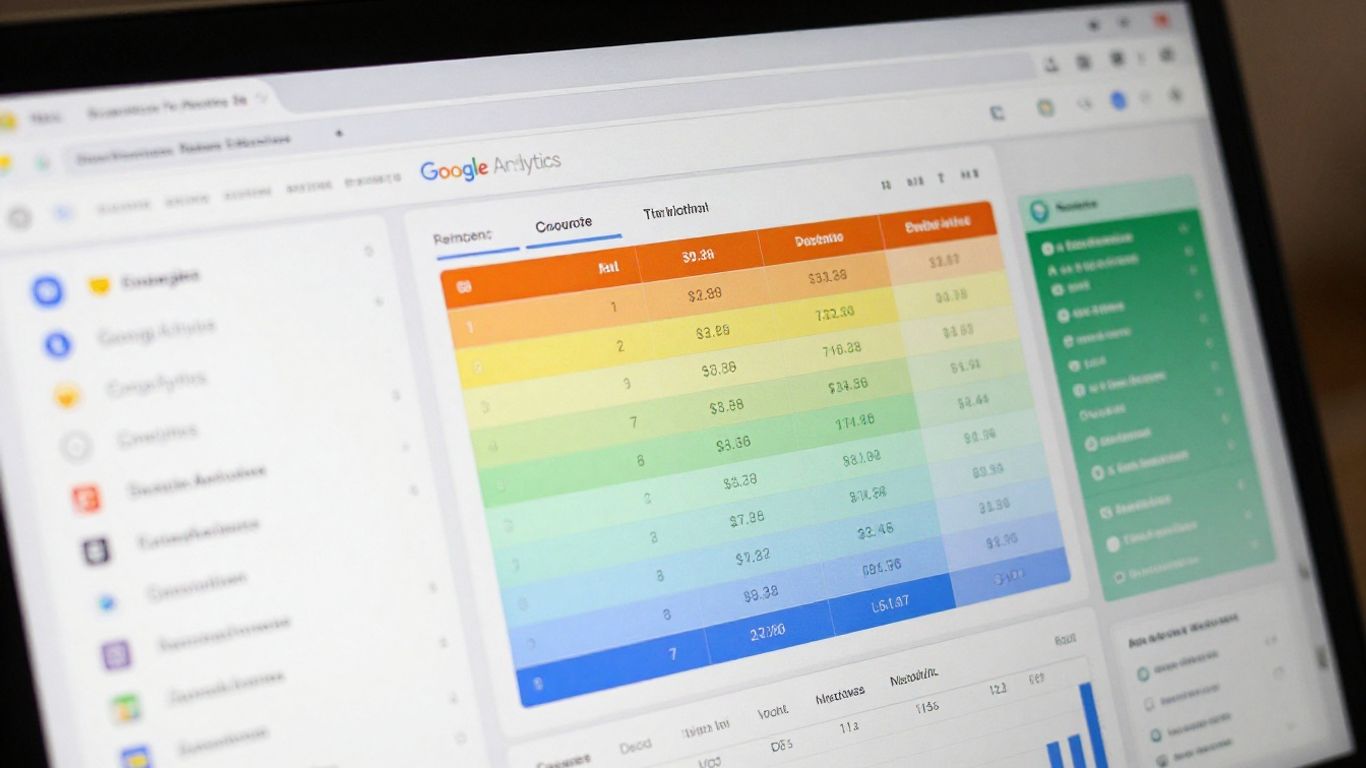
Okay, so you’ve got your affiliate links out there, and people are clicking. Awesome! But how do you know what’s actually working? That’s where Google Analytics comes in. It’s a free tool, which is a huge plus when you’re just starting out and trying to keep costs down. It gives you a bird’s-eye view of your website’s traffic and user behavior.
Think of it like this: without analytics, you’re just guessing. You don’t know which pages are popular, where your visitors are coming from, or how long they’re sticking around. Google Analytics helps you figure all that out. It tracks things like:
- Pageviews: How many times each page on your site is viewed.
- Traffic Sources: Whether people found you through search engines, social media, or direct links.
- User Demographics: Basic info about your audience, like their general location and interests.
- Bounce Rate: The percentage of visitors who leave your site after viewing only one page.
- Conversion Tracking: This is super important for affiliates. You can set it up to see when someone clicks an affiliate link and actually makes a purchase.
Setting up Google Analytics can seem a bit daunting at first, especially if you’re new to website stuff. There are different versions, and right now, Google Analytics 4 (GA4) is the standard. It’s designed to track user journeys across different devices and platforms. You’ll want to get familiar with setting up GA4 to make sure you’re collecting the right data from the get-go.
For affiliate marketing, the real magic happens when you connect what you see in Google Analytics with your affiliate dashboard. You can see which traffic sources are sending you the most engaged visitors, and then double down on those. It helps you understand your audience better, so you can create more content they’ll actually want to see and promote products they’re more likely to buy.
If you’re running an ecommerce site or plan to, there are specific ways to configure GA4 to get the most out of your sales data. This includes tracking product performance and understanding the customer journey from first click to final purchase. Learning how to leverage GA4 for ecommerce can really make a difference in optimizing your sales funnels and understanding your customers’ buying habits.
9. RedTrack
RedTrack is a pretty solid option if you’re looking for a more advanced tracking solution. It’s built for media buyers and serious affiliate marketers who need to really dig into their campaign data. Think of it as a central hub where you can monitor everything happening with your ads, from the initial click all the way through to the final conversion. This kind of detailed insight is super important for figuring out what’s actually making you money and what’s just a waste of your ad spend.
It offers robust tracking and attribution capabilities that go beyond the basics. For beginners, this might sound a bit intimidating, but the platform is designed to give you a clear picture of your performance. You can track different traffic sources, campaigns, and offers all in one place. This helps you understand the customer journey and optimize your funnels more effectively. If you’re spending money on ads, you need to know where it’s going and what results you’re getting, and RedTrack helps with that.
Here’s a quick look at what RedTrack can do for you:
- Advanced Campaign Tracking: Monitor all your ad campaigns, including paid ads, social media, and email marketing, from a single dashboard.
- Conversion Attribution: Understand which touchpoints in the customer journey lead to a sale, allowing you to allocate your budget more wisely.
- Fraud Detection: Helps filter out bot traffic and other fraudulent activity, so you’re not paying for fake clicks or conversions.
- Reporting and Analytics: Get detailed reports on your campaign performance, helping you identify trends and areas for improvement.
When you’re starting out, it’s easy to get lost in all the numbers. RedTrack tries to simplify this by giving you the most important data front and center. It’s about making informed decisions based on real performance, not just guessing.
While it might have a steeper learning curve than some simpler tools, RedTrack is a powerful platform for serious affiliate marketers looking to scale. It’s a good tool to consider as you grow and need more sophisticated ways to manage your affiliate marketing campaigns.
Wrapping It Up
So, we’ve looked at some tracking software that can really help beginners get a handle on their affiliate marketing. It’s not about finding the one magic tool, but picking something that fits your budget and how you work. Remember, tracking is just one piece of the puzzle. You still need to focus on finding good products, creating helpful content, and getting people to see it. Don’t get too caught up in the tech side of things at first. Start simple, learn as you go, and choose a tracker that makes sense for where you are right now. You’ve got this.
Frequently Asked Questions
What is affiliate tracking software and why do beginners need it?
Affiliate tracking software helps you see where your sales and clicks are coming from. For beginners, it’s super important because it shows you which methods are actually working, so you don’t waste time and money on things that don’t bring results. It’s like a report card for your marketing efforts.
Is it hard to set up tracking software when you’re just starting out?
Some tools can seem a bit tricky at first, but many are made with beginners in mind. They often have simple guides or tutorials to help you get set up. Think of it like learning to use a new app – it takes a little practice, but it becomes easy.
Can I use free tools to track my affiliate marketing?
Yes, you can start with free tools like Google Analytics. It gives you basic info about your website visitors. However, as you grow, paid tools offer more detailed tracking and insights that can really boost your success.
How does tracking software help me make more money?
By showing you what’s working, you can focus your energy on those successful strategies. For example, if you see one ad campaign brings in lots of sales, you can put more money into it. It helps you make smart choices to earn more commissions.
What’s the difference between tracking software and analytics tools?
Tracking software is usually more focused on your affiliate links and campaigns – like which links are clicked and which lead to sales. Analytics tools, like Google Analytics, give a broader view of your website traffic, like who your visitors are and how they found you.
Do I really need fancy software, or can I just track links myself?
While you can manually track some things, it gets complicated fast, especially if you use different methods to get people to your links. Software automates this, saving you tons of time and giving you much more accurate data. It’s the best way to understand your business growth.